
Now on iPhone, iPad and Android

    The budgeting app that never asks for your bank login

    Safe Spend shows one number: what is safe to spend after your bills, goals and what's still coming in. Log expenses in seconds, scan receipts, or import a statement — no bank connection, no credentials shared, nothing sold.

    Download Safe Spend on the App StoreGet Safe Spend on Google Play
    • No bank login, ever
    • Scan receipts & import statements
    • Export or delete anytime
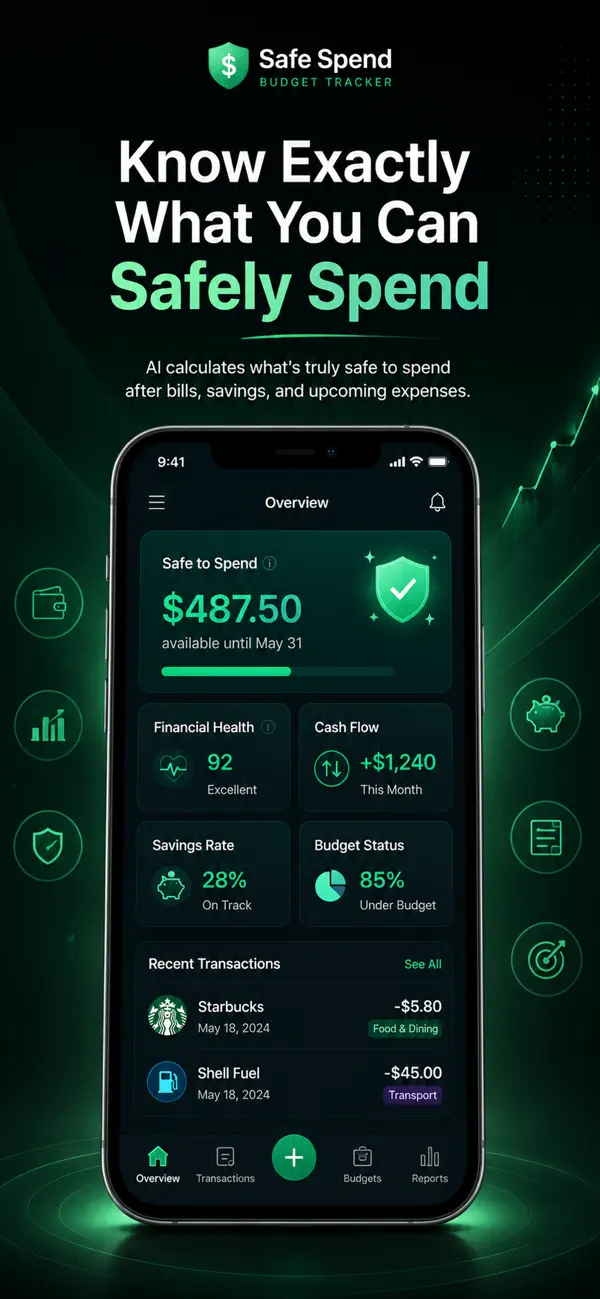
    The Safe Spend app on a phone, showing a Safe to Spend balance, a financial health score and recent transactions
    • iPhone, iPad, Android & webOne account, the same data everywhere
    • No bank login, everYou choose what goes in
    • Face ID & biometric lockOn the iPhone and Android apps
    • Built for any currencyUSD, EUR, GBP, KES, NGN, ZAR and more
    Try it

    The one number that actually matters

    Your balance still includes rent that hasn't left yet. Safe to Spend takes out what's already spoken for. Put in your own figures — nothing leaves this page.

    Cash and account balances

    Salary or invoices not yet received

    Rent, utilities, subscriptions

    Savings or debt payments

    Safe to spend

    $1,400

    Safe — Healthy room to spend

    Per day, rest of month
    $61
    Days left (incl. today)
    23

    Get this number automatically, updated every time you log something.

    Download Safe Spend on the App StoreGet Safe Spend on Google Play
    The problem

    Every other budgeting app starts by asking for your bank login

    If that has ever stopped you from trying one, you're not being paranoid. You're being reasonable — and you've been out of options.

    They want your bank login first

    Most budgeting apps can't show you anything until you hand over the credentials to your actual bank account, usually through a third-party data aggregator you've never heard of.

    Your transaction history becomes their asset

    Once connected, every purchase you make flows through someone else's servers. What happens to it after that is a paragraph in a policy document you didn't read.

    You can't undo a connection you've already made

    Revoking access stops new data. It doesn't retrieve what has already been collected, shared with partners, or retained under a policy that changed after you signed up.

    Safe Spend never asks. You log what you spend, and your bank stays between you and your bank.

    What's inside

    Everything you need, nothing you didn't ask for

    The tools of a full budgeting app, built around one number you can trust.

    Know where you stand

    Your whole financial picture, in one glance

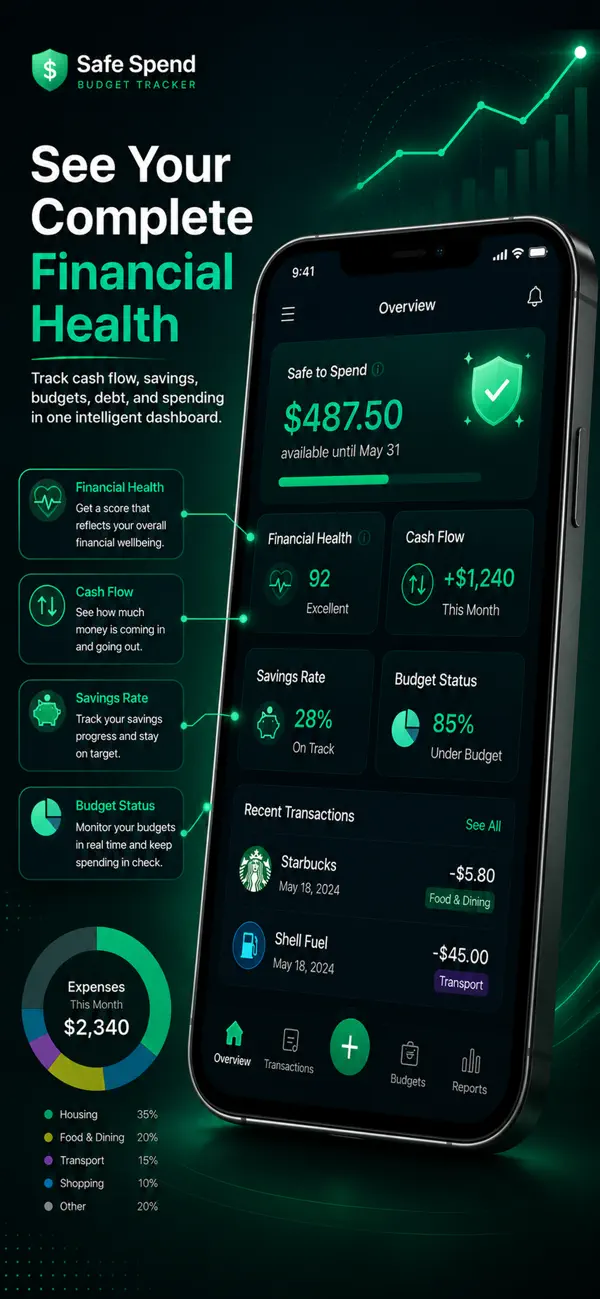
    Open the app and the first thing you see is what is safe to spend until the month ends, with a health score, cash flow and budget status underneath.

    • Safe to Spend, per day and for the month
    • A financial health score that explains itself
    • Cash flow, savings rate and budget status
    Get the app
    Safe Spend overview screen with a Safe to Spend amount, financial health score, cash flow, savings rate and budget status
    Log it your way

    Type it, scan it or import it

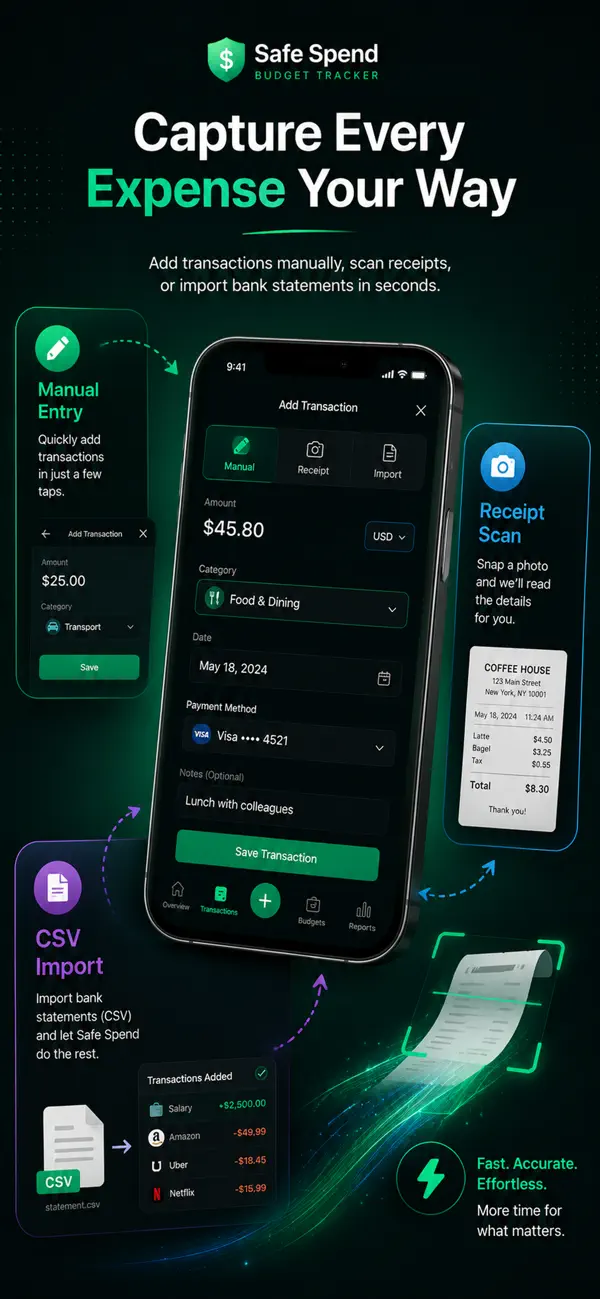
    Pick whichever is fastest in the moment. Safe Spend suggests the category, so most entries take two taps.

    • Manual entry with AI category suggestions
    • Photograph a receipt and review what it read
    • Recurring bills and income that log themselves
    Get the app
    Add transaction screen with manual entry, receipt scan and CSV import options

    Without a bank connection

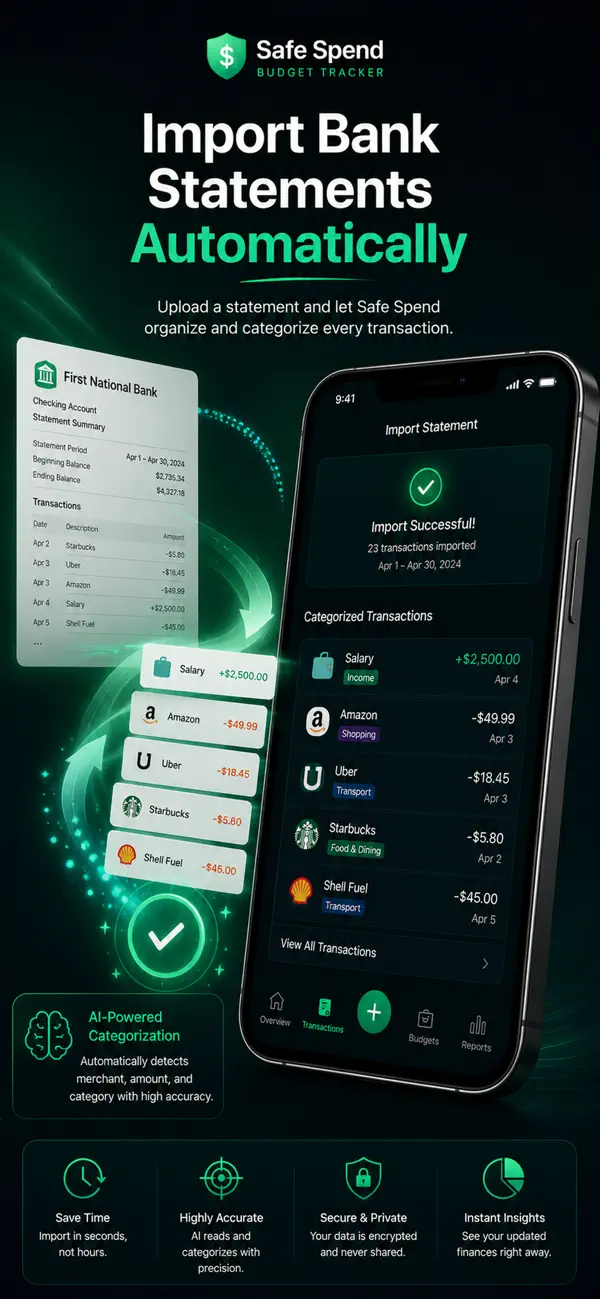
    Bring your history in from a statement

    Download a statement from your bank yourself, drop it in, and Safe Spend turns it into categorized transactions. You check the preview before anything is saved, and your bank never hears about it.

    • PDF, CSV and Excel files
    • Opening and closing balances are skipped, not counted
    • You review the preview, then import
    Get the app
    Import statement screen showing a successful import with categorized transactions

    Stay ahead

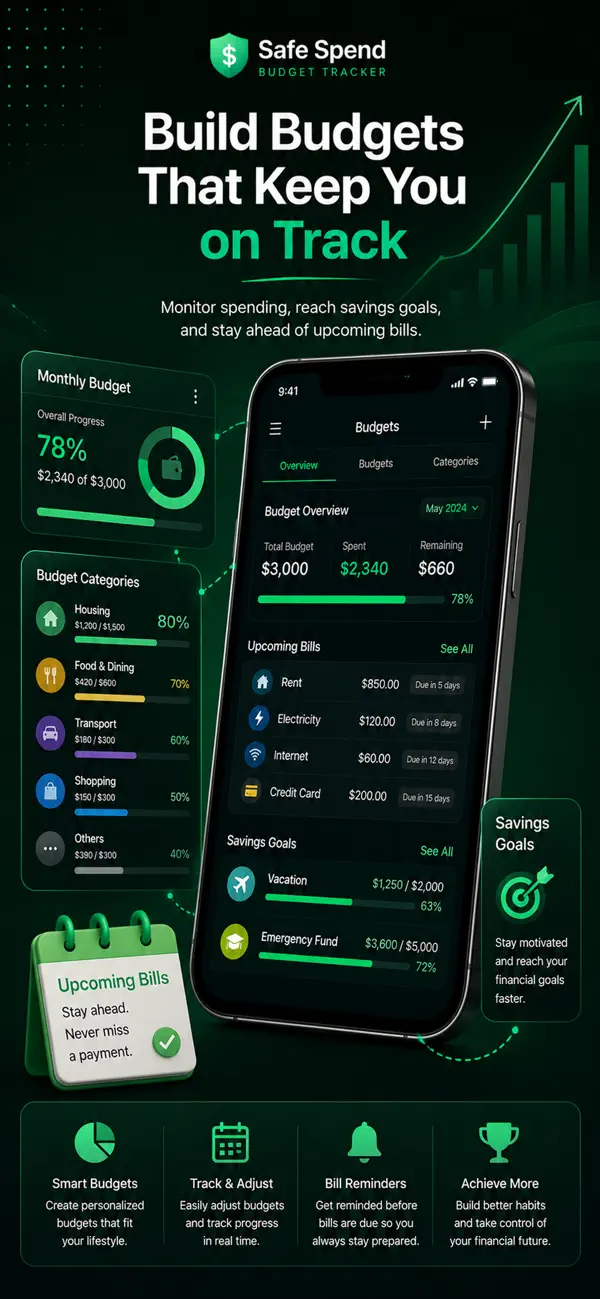
    Budgets, bills and goals that fit together

    Budgets know about your upcoming bills and goals, so the number you see already has them taken out.

    • Category budgets with rollover
    • Bill calendar with reminders and one-tap paid
    • Savings goals and debt payoff (snowball or avalanche)
    Get the app
    Budgets screen with monthly budget progress, category budgets, upcoming bills and savings goals

    Ask, don't guess

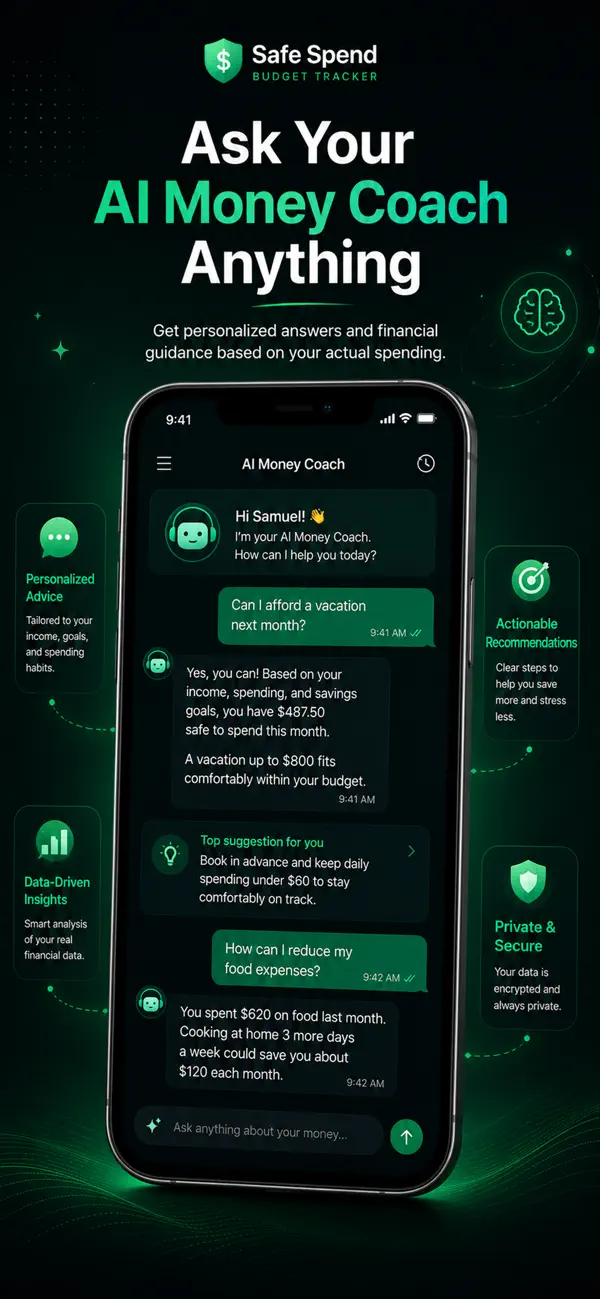
    An AI money coach that has read your numbers

    Ask whether you can afford something and get an answer based on your own income, bills and spending, not generic advice.

    • Answers grounded in your own data
    • Suggestions you can act on
    • Included with your subscription
    Get the app
    AI money coach chat answering whether the user can afford a vacation based on their safe-to-spend amount

    See the pattern

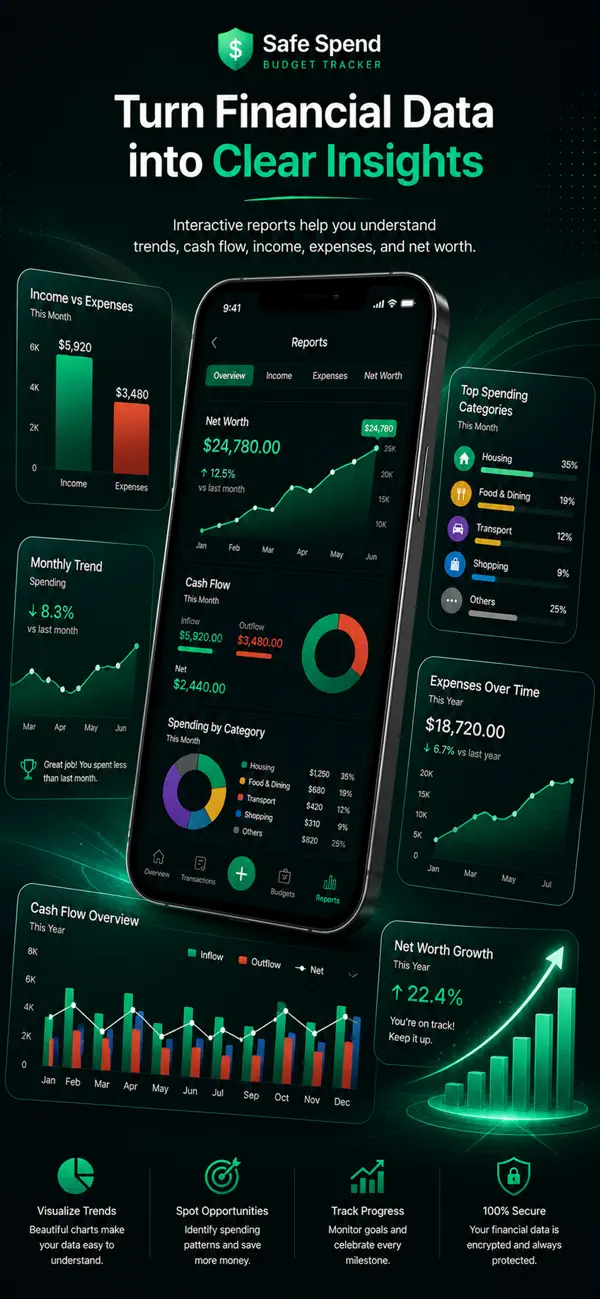
    Reports that make the trend obvious

    Income against expenses, spending by category, net worth over time and a forecast of where the month is heading.

    • Cash flow, categories and net worth
    • Works across currencies with automatic conversion
    • Export your data whenever you want
    Get the app
    Reports screen with income versus expenses, net worth growth, cash flow and spending by category

    Also included

    • Multi-currency accounts
    • Transfers between accounts
    • Net worth tracking
    • Annual budget view
    • Subscription detection
    • Face ID / biometric lock
    • Home-screen widget (Android)
    • Dark and light themes
    Who It's For

    Built for Real People, Not Accountants

    Whether you're a student, freelancer, or managing a family — Safe Spend adapts to your life.

    Freelancers & Side Hustlers

    Irregular income makes budgeting feel impossible.

    Track multiple income streams, set flexible budgets, and always know your true spending power.

    Students & Young Professionals

    Just starting out and unsure where your money goes?

    Build smart money habits early with a free 7-day trial. Simple expense tracking and savings goals that grow with you.

    Families & Households

    Juggling bills, groceries, and saving for the future.

    Manage household budgets, track recurring bills, and plan together for big family goals.

    Privacy-Conscious Users

    Don't want to hand over your bank login to an app?

    Safe Spend never asks for bank credentials. Manual entry means you stay in full control — your data is protected by Row Level Security.

    How It Works

    Get Started in 3 Simple Steps

    No complicated setup. No confusing spreadsheets. Just clarity.

    STEP 01

    Install it. Connect nothing.

    Download the app, sign up with your email and add what you have right now. No bank login, no account numbers — and you're looking at your first Safe to Spend number in about two minutes.

    • No bank connection
    • Free to download
    • Nothing to revoke later
    STEP 02

    Log what you spend, in seconds

    Type an amount and a word or two, snap a receipt, or import a statement. Safe Spend suggests the category, so most entries are two taps — and recurring bills log themselves.

    • About 30 seconds a day
    • Receipts and statements
    • Recurring bills automated
    STEP 03

    Watch the picture sharpen

    After a week you can see where the money actually goes. After a month you can set budgets that match your real life instead of a guess, and watch your debt payoff date move closer.

    • Real numbers, not estimates
    • Budgets from your own history
    • Payoff dates that update
    Download Safe Spend on the App StoreGet Safe Spend on Google Play

    Prefer a browser? Use the web app

    Why Safe Spend?

    Three ways to track money, compared fairly

    Bank-connected apps are the fastest to set up. Safe Spend is for people who would rather type less than trust a connection.

    Swipe the table sideways to compare →

    Comparison of Safe Spend, spreadsheets and bank-connected budgeting apps
    FeatureSafe SpendSpreadsheetBank-connected apps
    Works without your bank loginYesYesNo
    No data aggregator between you and your bankYesYesNo
    Works with any bank, in any countryYesYesPartly
    Transactions arrive automaticallyPartlyNoYes
    Scan receipts and import statementsYesNoPartly
    Safe-to-spend number after bills and goalsYesPartlyPartly
    Budgets, goals, debt payoff and reports built inYesNoYes
    AI coach that knows your numbersYesNoPartly
    No formulas to build or fixYesNoYes

    A general comparison of approaches; individual products differ. Reviewed October 2026.

    Security & Privacy

    Your Money Data is Safe With Us

    We built Safe Spend with privacy-first principles. No bank connections, no data selling, no compromises.

    No Bank Login, Ever

    We never ask for your banking credentials, and no third-party data aggregator sits between you and your bank. There is nothing to revoke later.

    Row Level Security

    Every user's data is isolated at the database level. Policies are enforced by Postgres itself, not by application code, so no account can read another's rows.

    Encrypted in Transit and at Rest

    Traffic is encrypted with TLS, and stored data is encrypted at rest with AES-256 by our infrastructure provider.

    Never Sold, Never Shared

    We don't sell, share or monetise your financial information, and we run no advertising trackers on this site.

    Export or Delete, Any Time

    Your data is yours. Export everything to CSV or PDF whenever you like, and deleting your account removes it.

    You Decide What Exists

    Manual entry means nothing is collected that you didn't type. The smallest data footprint is the one you control.

    Pricing

    Simple, Transparent Pricing

    One plan, two ways to pay: $9.99 a month or $89.99 a year. The app shows the price in your own currency. Try it free before you commit, and cancel anytime.

    Try it free first

    Safe Spend

    $89.99/year

    Saves $29.89 a year versus monthly billing.

    • Unlimited transactions and accounts
    • AI-powered categorization
    • Budgets with needs vs wants and rollover
    • Savings goals and debt payoff planner
    • Net worth tracking and reports
    • Bill reminders and recurring transactions
    • PDF and CSV exports
    • iPhone, iPad, Android and web with one account
    • Receipt scanning and statement import
    • AI money coach
    Download Safe Spend on the App StoreGet Safe Spend on Google Play
    Or start on the web

    Cancel anytime · No hidden fees

    Free trials: the web app gives 7 days with no card; on iPhone and Android the 7-day trial comes with the annual plan and is handled by the App Store or Google Play, which also take the payment. After a trial your data stays, read-only, until you subscribe — nothing is deleted. Web payments use Paystack (cards, bank transfer, mobile money).

    FAQ

    Frequently Asked Questions

    Everything you need to know about Safe Spend.

    Still have questions?

    Contact our support team →

    Find out what's safe to spend today. No bank login required.

    • Track every expense and income in seconds
    • Build budgets that actually work for your life
    • Crush debt and grow savings with smart tools
    Download Safe Spend on the App StoreGet Safe Spend on Google Play
    Or use Safe Spend on the web

    Free to download. Try it before you pay.

    Free guide

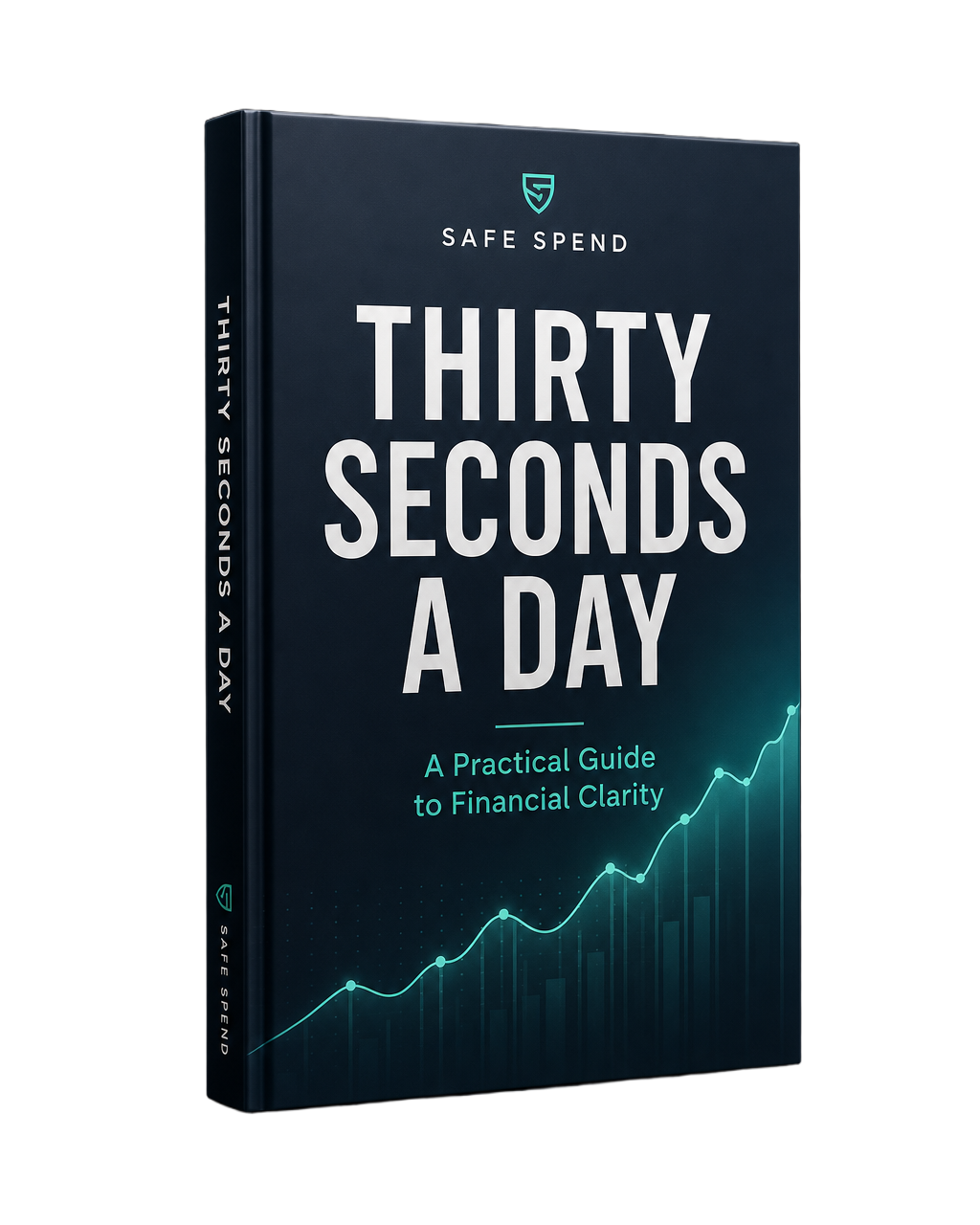
    Thirty Seconds a Day

    A practical guide to financial clarity — 12 chapters, 6 worksheets, a glossary and a 30-day plan. Not ready for a trial? Start with the book instead.

    See what's inside →